
ai color analysis
AI Color Analysis
By the StyleCard Team · Last updated July 3, 2026
Understand how AI color analysis works from a selfie, what it can and cannot read, and how StyleCard turns the result into usable style cards.
Short answer
AI color analysis can be a useful first pass when the photo is clear and the tool explains its limits. It should guide your choices, not make permanent claims about your appearance.
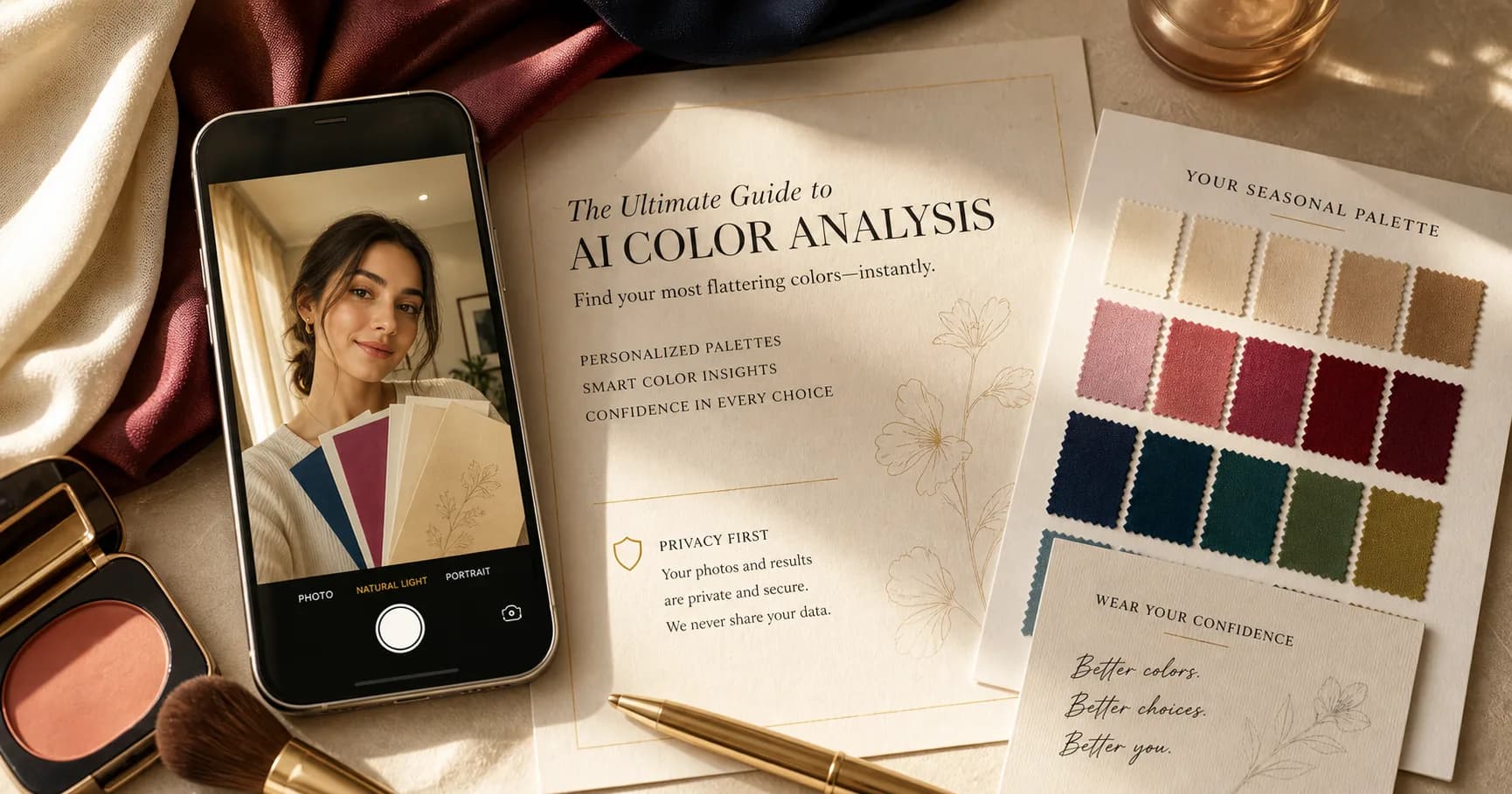
AI color analysis uses a photo to estimate your color direction: warm or cool, light or deep, soft or bright, and sometimes a seasonal palette. The best tools do more than name a season. They turn the result into decisions about clothes, makeup, and hair.
StyleCard is built around that second step. The free preview gives you a direction from your selfie and quiz. The paid pack turns it into five visual cards you can use while shopping or getting ready.
What AI can read from a selfie
A selfie can show visible contrast, approximate skin temperature, hair and eye relationship, and how strong or soft your natural coloring appears. Those are the same broad clues behind seasonal color analysis.
AI can also compare those clues with your quiz answers. If you say you want low-maintenance hair direction or natural makeup, the result should adapt instead of giving generic makeover advice.
What a selfie cannot prove
A photo cannot perfectly control lighting, camera processing, makeup, or dyed hair. Phones often warm up skin, smooth texture, or boost saturation. That is why any AI result should stay practical: test these colors, avoid these traps, use this direction as a starting point.
A good result also avoids identity claims. Color analysis is about styling choices, not ethnicity, health, attractiveness, or fixed personality types.
Accuracy factors that matter
AI color analysis is only as useful as its input. Warm bathroom bulbs can push everyone toward Autumn. Golden hour can add false warmth. Auto-HDR can flatten shadows. Heavy foundation, bronzer, tinted SPF, or bright lipstick can cover the very signals the tool needs to read.
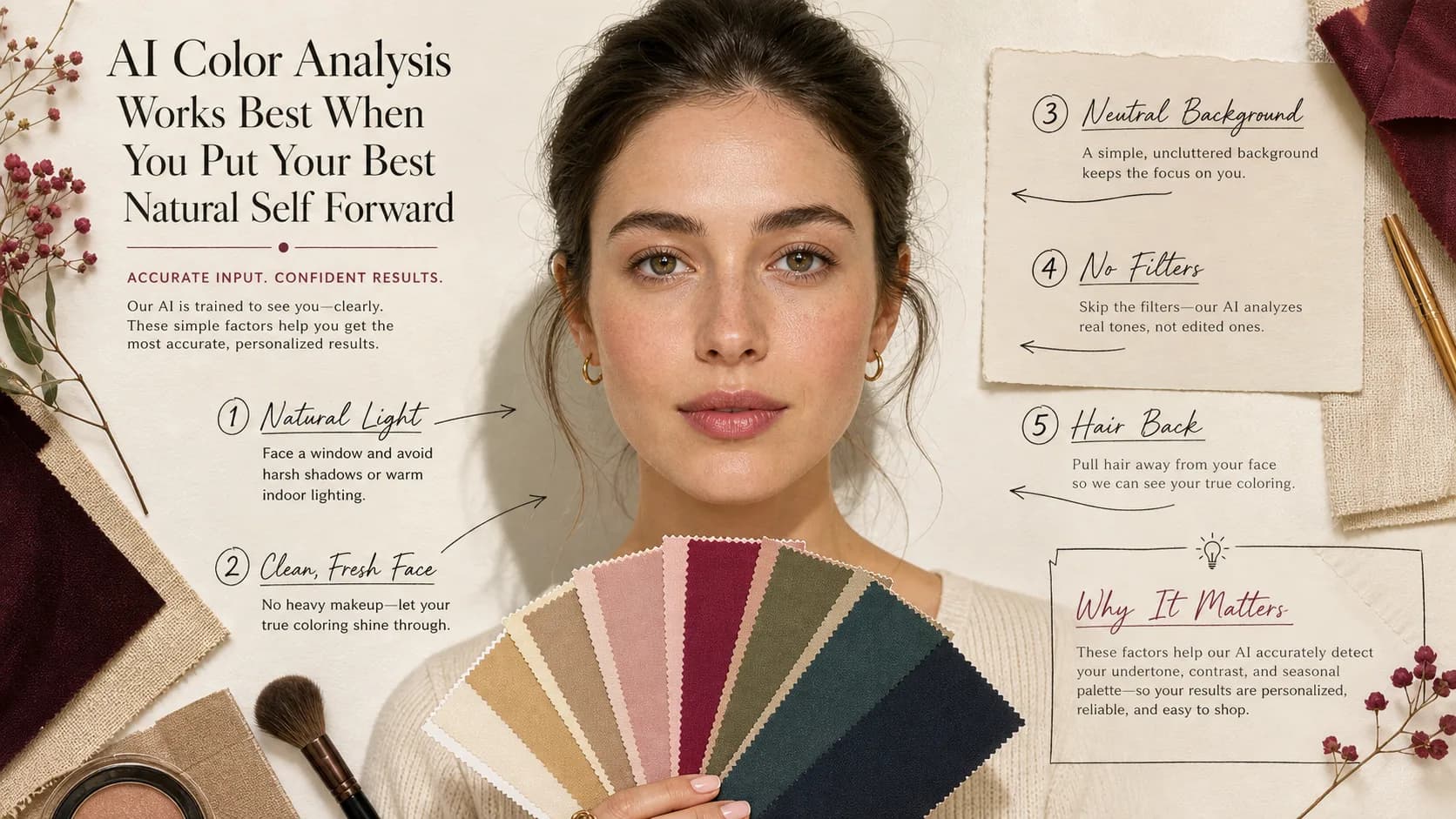
The most reliable setup is boring on purpose: indirect daylight, plain background, face and neck visible, no beauty filter, no sunglasses, no dramatic makeup, and dyed hair pulled back if it is far from your natural color.
- Best input: natural-light selfie, neutral shirt, no filter, no heavy makeup.
- Risky input: warm indoor light, social-media screenshot, beauty filter, strong lipstick.
- Hard edge cases: olive undertone, very muted coloring, dyed hair, mixed lighting.
- Good output: names uncertainty and gives colors to verify, not only a season label.
AI accuracy factors table
Most AI color analysis mistakes come from input distortion before the model ever interprets your face. Phone cameras adjust white balance, sharpen contrast, smooth skin, and boost saturation. Screens then change the image again through True Tone, color filters, night shift, or calibration differences.
Use the table below as a practical quality check before trusting an online color analysis result.
- Lighting: indirect daylight is best; warm bulbs, golden hour, and colored walls can add false warmth.
- Camera processing: Auto-HDR and beauty modes can flatten shadows, brighten eyes, or smooth away contrast.
- Makeup and tan: foundation, bronzer, self-tanner, tinted SPF, and lipstick can change undertone and chroma signals.
- Hair and accessories: dyed hair, large glasses, bright earrings, and saturated shirts can dominate the read.
- Repeatability: if two clean photos give different results, compare what changed before assuming your season changed.
- Inclusivity: deep, olive, neutral, and muted complexions need tools that separate skin depth from undertone and contrast.
How to interpret AI confidence
A trustworthy AI result should sound like a ranked interpretation, not a decree. It should explain whether the strongest evidence is temperature, depth, chroma, or contrast. It should also name the nearest neighboring seasons and tell you which colors would settle the question.
Be skeptical of a result that says 100% accurate, exact hex-code season, or permanent diagnosis from one selfie. A photo captures overtone, lighting, camera processing, and current styling. Undertone and color harmony still need comparison against real colors near the face.
- Strong output: likely season plus runner-up season, best tests, avoid colors, and photo-quality caveats.
- Weak output: one label, no uncertainty, no photo setup notes, and no way to verify.
- Best verification: two or three clean photos plus fabric, lipstick, jewelry, and wardrobe checks.
- Professional draping remains the reference standard when confidence matters more than speed or cost.
Privacy and photo handling
A face photo is sensitive, even when the app is for styling rather than identity. Before using any AI color analysis app, check whether photos are stored, how long they are retained, whether they are used to train models, and whether you can delete your data.
StyleCard keeps the promise simple in the product flow: uploaded photos are scheduled for deletion after 24 hours. That makes it easier to try a free preview without wondering whether your selfie is becoming a permanent profile.
AI vs quiz vs in-person draping
A quiz is fastest, but it depends on your self-assessment. In-person draping is the most hands-on, but it costs more and requires scheduling. AI sits in the middle: fast enough to try now, visual enough to be more personal than a text quiz, and affordable enough for a first pass.
The best choice depends on the decision. For a closet refresh, AI may be enough. For wedding styling, a major hair color change, or a luxury wardrobe investment, in-person advice may be worth the money.
AI vs ChatGPT vs app vs professional draping
AI color analysis is a method, not one product category. A general chatbot can discuss a photo or prompt, but it is not built around controlled color intake. A color analysis app may add palette storage, digital drapes, makeup try-on, or shopping tools. A professional consultant uses real drapes and human interpretation under controlled light.
The main tradeoff is confidence versus convenience. ChatGPT is fastest for language and brainstorming after you already have a likely season. AI photo tools are better for a first visual read. Apps are useful when they turn the result into shopping behavior. Professional draping is slowest and most expensive, but it gives the strongest real-color comparison.
- ChatGPT: best for organizing ideas, weakest for diagnosis from unclear images or hex codes.
- AI photo analysis: best for quick visual direction, sensitive to lighting and camera processing.
- Color analysis app: best when it combines analysis, saved palette, wardrobe, makeup, and hair guidance.
- Professional draping: best for high-confidence decisions, nuanced undertone, and conflicting previous results.
- StyleCard: best as a practical starting point that links selfie, quiz, color, outfit, makeup, and hair cards.
How to verify an AI result in real life
Do not stop at the label. If AI says Summer, test dusty rose, soft navy, lavender gray, and cool taupe against orange, black, and mustard. If it says Autumn, test camel, olive, rust, and chocolate against icy pink and optic white. If it says Winter, test black, white, cobalt, blue-red, and emerald against camel and peach. If it says Spring, test cream, coral, clear green, and turquoise against gray mauve and slate.
The result should make normal decisions easier. Your best colors should reduce the need for extra makeup, make your eyes look clearer, and make outfits feel more coherent. If the recommended colors only work on-screen but fail with real clothes, treat the AI result as incomplete.
- Use two or three clean photos before deciding the result is stable.
- Test one top, one lipstick, one neutral, and one metal from the suggested direction.
- Compare against the nearest neighboring season, not just against obviously bad colors.
- Keep the result only if it improves real purchases, not just because the label sounds plausible.
Photo do and don't checklist
The best AI color analysis photo is visually boring. Face a window in indirect daylight, wear a neutral top, keep the background plain, and remove heavy makeup. Avoid golden hour, bathroom bulbs, colored walls, screenshots, social filters, and strong lipstick.
If your hair is dyed far from your natural color, pull it back for one photo and leave it visible in another. That lets the tool separate your stable undertone and contrast from your current styling. If the two results differ, the hair color is affecting the read.
- Do: indirect daylight, neutral background, no filter, no heavy makeup, face and neck visible.
- Do: retake if the image looks yellow, gray, overly smooth, or unusually saturated.
- Don't: use warm indoor light, golden hour, beauty mode, sunglasses, spray tan, or colored room light.
- Don't: assume a different result across photos means your face changed; the input changed.
AI Color Analysis evidence checklist
AI Color Analysis should be judged by repeated evidence, not by one attractive swatch, one selfie, or one quiz answer. The strongest signal is consistency: the same color direction should make the face look clearer in daylight, make makeup easier, and make outfits feel more coherent.
Use this page with related guides such as best color analysis app, color analysis quiz, free color analysis, color analysis kit. Cross-linking the evidence matters because color analysis is not just one category. A palette affects wardrobe neutrals, lipstick, hair color, metals, denim, and how much contrast an outfit can carry near the face.
For this topic, start with the practical test that matches the search intent: compare methods, check privacy and photo quality, then verify the result with real clothing, lipstick, jewelry, or consultant questions.
- Run the test in indirect daylight rather than warm bathroom light or golden hour.
- Remove strong lipstick, bronzer, filters, and saturated clothing when judging undertone.
- Compare neighboring possibilities directly instead of asking whether one label feels perfect.
- Keep notes on skin clarity, eye brightness, shadow, redness, and whether the color or your face gets attention.
- Use StyleCard as a photo-based preview, then keep only the guidance that survives real-world checks.
AI Color Analysis practical next steps
After reading a guide like this, the next step should be small and testable. Do not replace a wardrobe, book a major salon change, or buy several products because one label sounded right. Start with one near-face color, one neutral, one metal, and one makeup cue.
If you are comparing tools, begin with the lowest-risk method that gives useful evidence. A free preview or quiz can narrow the field; a kit or consultant can resolve close calls; a paid report is most useful when it adds practical shopping, makeup, hair, and outfit guidance.
The most trustworthy result is flexible but not vague. It should say what to try, what to avoid, why the result might be uncertain, and how to confirm it. That is especially important for olive undertones, neutral coloring, deeper skin, dyed hair, gray hair, very muted palettes, and high-contrast palettes. If a recommendation cannot explain the tradeoff it is making, test again before spending money. A result should make repeat decisions easier, not just add a label.
- First purchase to test: one top, scarf, or lipstick in the likely palette.
- First closet move: move best colors near the face and weaker colors below the waist.
- First beauty move: test blush or lipstick before changing foundation or hair.
- First hair move: ask for a gloss, toner, or small shift before a dramatic multi-level change.
- First verification move: retake a clean photo and compare the result against real fabric.
- Final check: the guidance should improve at least three real choices, such as a neutral, a lip color, and a face-framing outfit.
How StyleCard turns analysis into cards
StyleCard does not stop at a season label. The full pack includes a color story, outfit direction, makeup direction, hair direction, and a style overview. That makes the result easier to use because your palette connects to actual styling decisions.
Your uploaded photo is auto-deleted after 24 hours. The free preview is available before payment, and the full pack is a one-time $9.99 upgrade.
Try it on your photo
Try a free AI color analysis
Upload a natural-light selfie and get a free StyleCard preview in about a minute.
Try a free AI color analysisRelated StyleCard guides
FAQ
- Does AI color analysis work?
- It can work as a practical first pass, especially with a clear natural-light photo. It is less reliable with heavy filters, poor lighting, or features that are hard to read from one image.
- What photo should I use?
- Use a recent front-facing selfie in soft natural light. Avoid heavy makeup, colored bulbs, filters, sunglasses, and strong shadows.
- Is AI color analysis private?
- Privacy depends on the tool. StyleCard auto-deletes uploaded photos after 24 hours and does not sell your photos.
- What makes AI color analysis more accurate?
- Use indirect daylight, no filter, no heavy makeup, a neutral background, and a recent photo. Then verify the result against real colors near your face.
- Is AI color analysis better than professional draping?
- No single method is best for every situation. Professional draping gives controlled real-world comparison, while AI is faster, cheaper, and useful as a practical first pass.
Sources
About the StyleCard Team
Our guides are written using established color analysis frameworks — including the seasonal color system and Munsell color theory — reviewed against practitioner and academic sources, and updated when research or product changes warrant a revision. See the Sources section above for the references used in this article.