
chatgpt color analysis prompt
ChatGPT Color Analysis Prompt
By the StyleCard Team · Last updated June 14, 2026
Use this ChatGPT color analysis prompt safely, understand why text-only results are shaky, and compare it with a purpose-built StyleCard preview.
Short answer
The safest ChatGPT color analysis prompt asks for a cautious estimate, names photo limits, and requests practical color tests instead of a fixed identity-style label.
A ChatGPT color analysis prompt can be fun, especially if you already have a clear photo and want quick language for your palette. It can also be messy. If the prompt asks the model to guess from vague text, the answer will usually sound confident even when the input is weak.
Use the prompt below as a rough starting point, not a final season diagnosis. If you want a result built for this exact use case, StyleCard is the faster route.
A safer prompt template
Copy this prompt only if you are comfortable uploading or describing your image in the tool you use:
- Analyze this natural-light, unfiltered face photo for personal color styling. Give a cautious estimate of my likely color direction using temperature, value, chroma, and contrast. Tell me which clues are clear and which are uncertain because of lighting, makeup, hair dye, or camera processing. Suggest 8 colors to test near my face, 4 colors to use carefully, and makeup or hair-color ideas only as styling suggestions. Do not make claims about ethnicity, health, attractiveness, or identity.
Why text-only prompts are unreliable
Text-only prompts ask you to translate your own face into words. That creates two layers of guesswork: you judge the feature, then the model interprets your wording. If you write 'medium brown hair, hazel eyes, neutral skin,' that could still point to several seasons.
If you use ChatGPT, include uncertainty in the prompt. Ask for colors to test instead of stopping at a season name.
Photo and privacy checks
Before uploading a face photo to any AI tool, read the product's privacy settings and data-use policy. General chatbots may offer data controls, but you still need to know whether uploads can be reviewed, retained, or used to improve services. If you are not comfortable uploading your face, use a purpose-built flow with clearer photo handling or stick to a text-only self-check.
For photo quality, use natural light and no filter. The same bad photo that confuses a color app can confuse a general AI model.
The hex-code problem
Many viral ChatGPT color analysis workflows ask you to pull hex codes from a selfie and paste them into a prompt. That sounds precise, but the precision is misleading. A hex code captures the color of one pixel under one lighting condition, not your undertone or the way your face reacts to fabric.
Skin pixels include overtone, shadows, camera white balance, compression, foundation, redness, tan, and room color. Hair pixels can be dyed or highlighted. Eye pixels change with reflections. A prompt can organize those values, but it cannot turn flawed color samples into controlled draping evidence.
- Use ChatGPT after you have a likely season, not as the only diagnostic tool.
- Do not treat one sampled skin hex as undertone.
- Ask for uncertainty, neighboring seasons, and colors to test instead of a final verdict.
- Verify any prompt result with real fabric, lipstick, and jewelry in daylight.
A better ChatGPT workflow
If you use ChatGPT, give it a bounded job. Ask it to compare evidence, explain what would make the result uncertain, and turn a likely season into outfit, makeup, and shopping ideas. Do not ask it to diagnose ethnicity, attractiveness, health, or identity from a face photo.
The strongest workflow is sequential: first use a clean photo or professional method to narrow the palette, then use ChatGPT to brainstorm outfits, travel capsules, lipstick families, shopping lists, or closet audit questions. In that role, the model is useful because it is organizing a result rather than inventing one from weak inputs.
- Prompt for a cautious estimate and a runner-up season.
- Ask which photo conditions could be distorting the result.
- Ask for five colors to test near the face and five colors to avoid.
- Ask for wardrobe, lipstick, jewelry, and hair ideas only after the likely palette is established.
- Check data controls before uploading any face image to a general chatbot.
ChatGPT Color Analysis Prompt evidence checklist
ChatGPT Color Analysis Prompt should be judged by repeated evidence, not by one attractive swatch, one selfie, or one quiz answer. The strongest signal is consistency: the same color direction should make the face look clearer in daylight, make makeup easier, and make outfits feel more coherent.
Use this page with related guides such as AI color analysis, free color analysis, color analysis quiz, color analysis near me. Cross-linking the evidence matters because color analysis is not just one category. A palette affects wardrobe neutrals, lipstick, hair color, metals, denim, and how much contrast an outfit can carry near the face.
For this topic, start with the practical test that matches the search intent: compare methods, check privacy and photo quality, then verify the result with real clothing, lipstick, jewelry, or consultant questions.
- Run the test in indirect daylight rather than warm bathroom light or golden hour.
- Remove strong lipstick, bronzer, filters, and saturated clothing when judging undertone.
- Compare neighboring possibilities directly instead of asking whether one label feels perfect.
- Keep notes on skin clarity, eye brightness, shadow, redness, and whether the color or your face gets attention.
- Use StyleCard as a photo-based preview, then keep only the guidance that survives real-world checks.
ChatGPT Color Analysis Prompt practical next steps
After reading a guide like this, the next step should be small and testable. Do not replace a wardrobe, book a major salon change, or buy several products because one label sounded right. Start with one near-face color, one neutral, one metal, and one makeup cue.
If you are comparing tools, begin with the lowest-risk method that gives useful evidence. A free preview or quiz can narrow the field; a kit or consultant can resolve close calls; a paid report is most useful when it adds practical shopping, makeup, hair, and outfit guidance.
The most trustworthy result is flexible but not vague. It should say what to try, what to avoid, why the result might be uncertain, and how to confirm it. That is especially important for olive undertones, neutral coloring, deeper skin, dyed hair, gray hair, very muted palettes, and high-contrast palettes. If a recommendation cannot explain the tradeoff it is making, test again before spending money. A result should make repeat decisions easier, not just add a label.
- First purchase to test: one top, scarf, or lipstick in the likely palette.
- First closet move: move best colors near the face and weaker colors below the waist.
- First beauty move: test blush or lipstick before changing foundation or hair.
- First hair move: ask for a gloss, toner, or small shift before a dramatic multi-level change.
- First verification move: retake a clean photo and compare the result against real fabric.
- Final check: the guidance should improve at least three real choices, such as a neutral, a lip color, and a face-framing outfit.
Why StyleCard is different
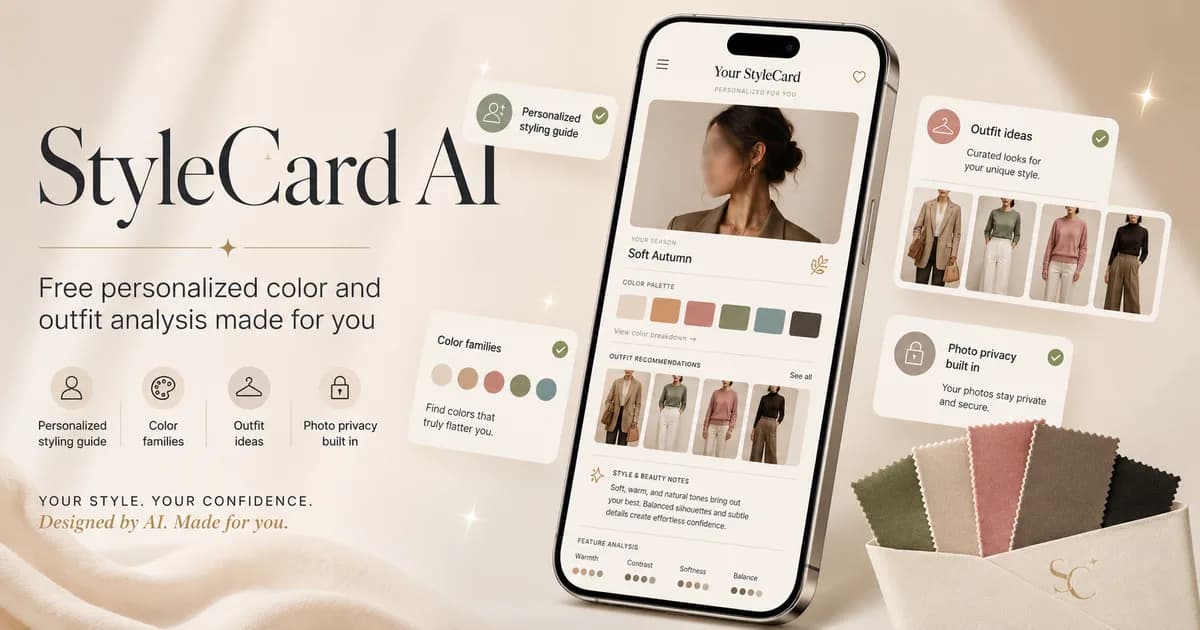
StyleCard is built for style-card output, not general chat. It asks the styling questions it needs, uses your selfie for a visual read, and turns the result into color, outfit, makeup, hair, and overview cards.
That saves you from prompt tweaking. You can still use ChatGPT later to brainstorm outfits, but your starting palette should come from a workflow designed for personal styling.
Try it on your photo
Use a purpose-built AI style card
Skip prompt engineering. Upload a selfie and get a free StyleCard preview made for color and style direction.
Use a purpose-built AI style cardRelated StyleCard guides
FAQ
- Can ChatGPT do color analysis?
- It can give a rough styling direction if the input is clear, but it is not a substitute for a dedicated workflow or in-person draping.
- Should I upload my face photo to ChatGPT?
- Only if you are comfortable with the tool's privacy settings and data handling. If not, use a tool with clearer photo deletion rules or avoid uploading face photos.
- What should I ask for besides a season?
- Ask for uncertainty, colors to test near your face, colors to avoid, and practical outfit or makeup examples. That is more useful than a single season label.
Sources
About the StyleCard Team
Our guides are written using established color analysis frameworks — including the seasonal color system and Munsell color theory — reviewed against practitioner and academic sources, and updated when research or product changes warrant a revision. See the Sources section above for the references used in this article.